
Make ownership visible
Assign agency work or trip-specific tasks, add a due date and break the task into checklist steps. Use priorities and filters to decide what to work on next.
Product / Tasks & calendar
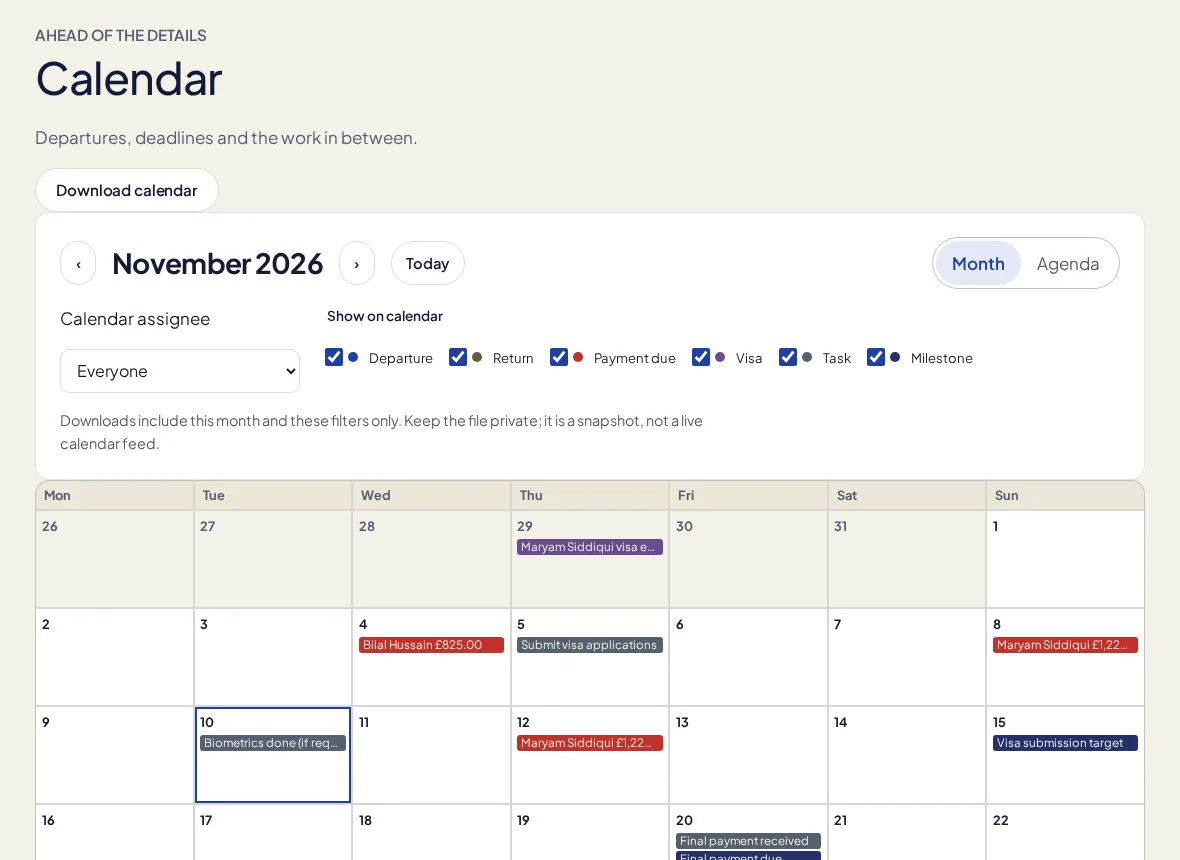
Track follow-ups, trip tasks and deadlines with assignments, priorities and checklists. See the work alongside departure dates and payment dates in the calendar.
One month free with FOUNDING20. No card required.
Assign agency work or trip-specific tasks, add a due date and break the task into checklist steps. Use priorities and filters to decide what to work on next.
Daily, weekly and monthly repeats create the next occurrence when the current task is completed. Missed dates are skipped rather than piling up unseen work.
Use month and agenda views, layers and assignee filters. Open events in context or export a private ICS snapshot of the selected month.
In the working day
Travel administration mixes fixed dates with jobs that still need a person to do them. TripClerk shows that work without pretending a calendar entry completes it. Task history records changed fields, and edit-conflict checks help avoid one teammate silently overwriting another. Read-only staff can inspect the work while write permissions remain enforced. Archived trips stay out of departure and return layers without hiding outstanding payment obligations.
Calendar export is an explicit ICS snapshot, not two-way Google or Outlook sync or a subscribed live feed. Completing a repeat creates the next task; no task scheduler or task-email automation is claimed.
More about the current limits →Not as a live connection. Download an ICS snapshot and import it into a calendar yourself.
Completing the current occurrence creates at most one future occurrence. It skips dates that have already passed.
Keep a client’s details, stage and last conversation beside the work that comes next. A visual pipeline helps the whole agency see which enquiries need attention.
Present trip options, share a private proposal and keep the client’s selection connected to the booking, deposit schedule and draft itinerary.
Arrange flights, stays, transfers and activities in a day-by-day itinerary. Work privately, preview the details, then publish the version you want your clients to see.
Your next trip starts here
Try a real booking in TripClerk. One month free with FOUNDING20, no card and no automatic charge.
Have a question first? Talk to us →