
Keep the stages separate
An approved proposal, a confirmed supplier booking, a paid instalment and a published itinerary are independent facts. Record each when it actually happens.
Product / Supplier confirmations
Record the follow-through after approval: when a reservation was requested, what was checked and the reference that supports the confirmation.
One month free with FOUNDING20. No card required.
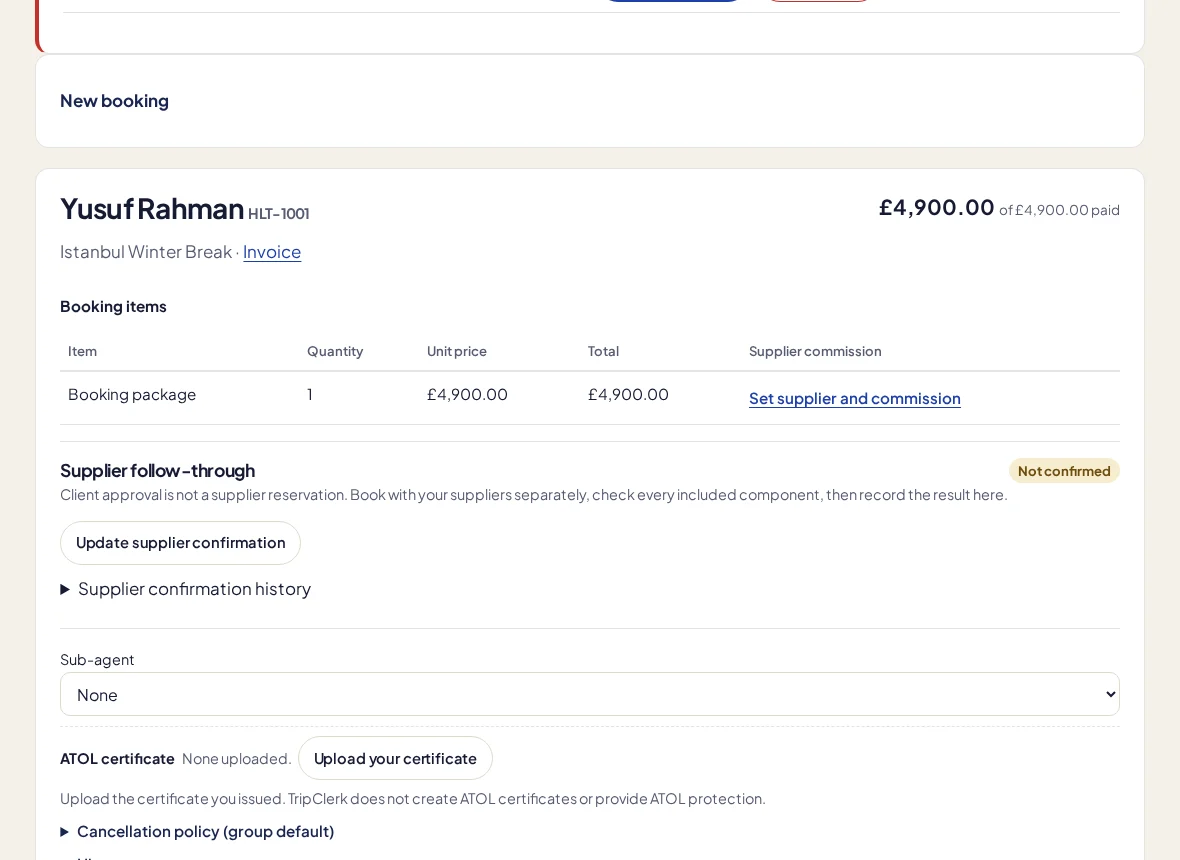
An approved proposal, a confirmed supplier booking, a paid instalment and a published itinerary are independent facts. Record each when it actually happens.
Mark a request and record a checked-confirmed state with the supplier reference and history. Give the next colleague the context to continue.
Move between booking, builder, invoice and commission work from the trip’s follow-through checklist. Nothing is treated as done just because another step is complete.
In the working day
Travel work does not finish when someone clicks approve. Supplier follow-through is designed to make that distinction visible. A staff member checks the evidence and records the result; the software does not infer a confirmed reservation from the proposal or the money schedule. A versioned record and field history help the agency understand subsequent changes without rewriting the original client decision.
This is manual confirmation tracking. There is no GDS connection, supplier booking engine, automatic email parsing or automatic reservation placement.
More about the current limits →No. Your team makes the reservation and checks the supplier’s response outside the app.
No. Record supplier confirmation separately after your team checks it.
Keep a client’s details, stage and last conversation beside the work that comes next. A visual pipeline helps the whole agency see which enquiries need attention.
Present trip options, share a private proposal and keep the client’s selection connected to the booking, deposit schedule and draft itinerary.
Arrange flights, stays, transfers and activities in a day-by-day itinerary. Work privately, preview the details, then publish the version you want your clients to see.
Your next trip starts here
Try a real booking in TripClerk. One month free with FOUNDING20, no card and no automatic charge.
Have a question first? Talk to us →